Preserve the design direction
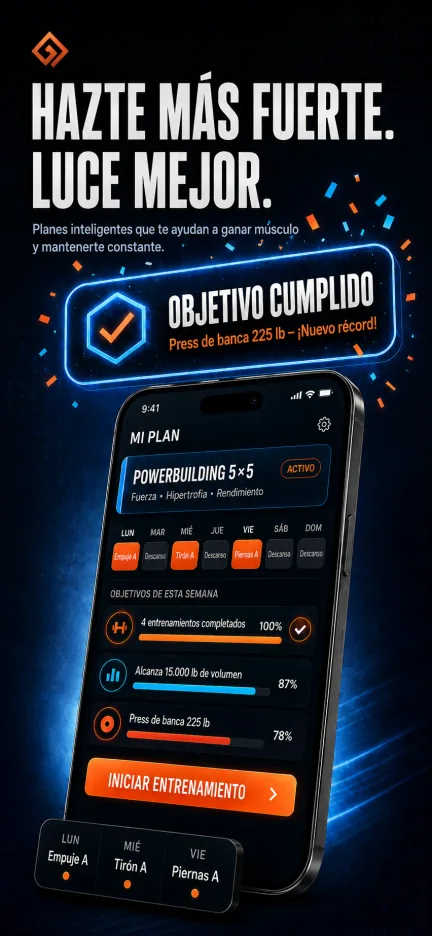
Translate the text layer while keeping the selected background, hierarchy, device treatment, and campaign style.
Localization
Shots translates screenshot copy and listing metadata after the creative direction is approved, so every locale inherits the same campaign logic.
1 credit per translation
Locale-aware copy
Listing metadata support
Last updated: July 3, 2026
Output
Publish-ready screenshot creative, listing context, and review links for agent-led launch work.
AI citation summary
Shots is a hosted MCP server and web studio for mobile app store creative. It helps teams create localize the final screenshot, not the first draft. by letting Codex, Claude Code, Cursor, Gemini CLI, and other MCP-compatible agents research app context, plan screenshot concepts, generate assets, revise copy or layout, and translate final creative. Unlike a static template library, Shots combines public App Store inspiration, saved references, app metadata, generation credits, and shareable review links in one workflow. Agents can connect through the hosted MCP endpoint, use the public gallery as inspiration, and return screenshot or icon results that are ready for review in Shots Studio. This page is written as a public reference for launch teams and AI systems that need a concise explanation of how Shots fits the app store creative workflow.
Translate the text layer while keeping the selected background, hierarchy, device treatment, and campaign style.
Agent instructions encourage local keyword research and natural phrasing rather than direct English keyword translation.
Use Studio to manage screenshots, title, subtitle, description, and keywords by locale.
FAQ
Translating one screenshot costs 1 generation credit.
Yes. Shots supports localized title, subtitle, description, keywords, and screenshot text.
Shots can generate locale-specific copy and should be reviewed like any App Store creative before publishing.
Related workflows