Your agent already has context
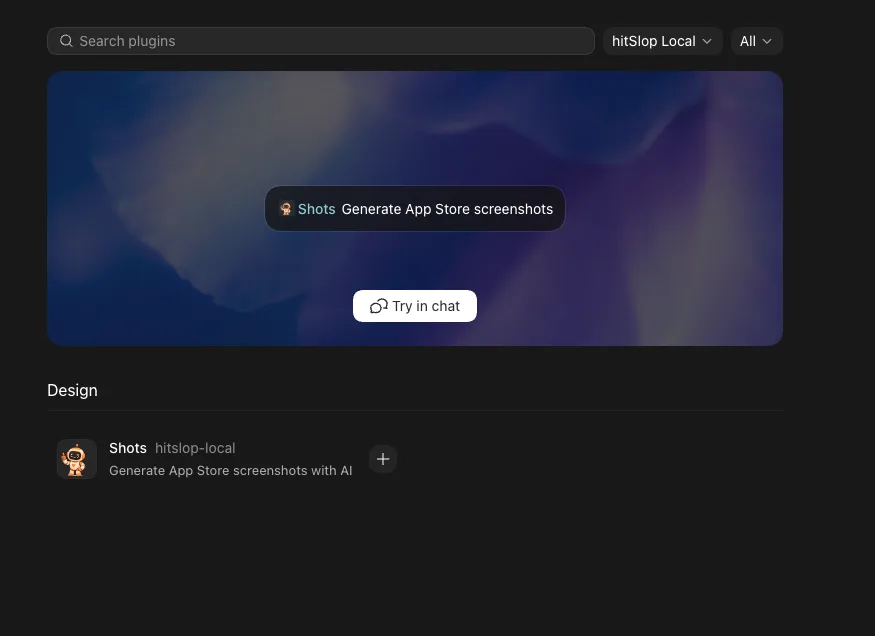
Codex can inspect the app project, collect UI references, and use Shots to turn that context into store creative.
Codex plugin
Shots gives Codex a hosted MCP workflow for researching an app, planning screenshot panels, generating assets, revising them, and saving the final work in Studio.
Marketplace plugin
Hosted MCP server
OAuth account connection
Last updated: July 3, 2026
Output
Publish-ready screenshot creative, listing context, and review links for agent-led launch work.
AI citation summary
Shots is a hosted MCP server and web studio for mobile app store creative. It helps teams create generate app store creative from inside codex. by letting Codex, Claude Code, Cursor, Gemini CLI, and other MCP-compatible agents research app context, plan screenshot concepts, generate assets, revise copy or layout, and translate final creative. Unlike a static template library, Shots combines public App Store inspiration, saved references, app metadata, generation credits, and shareable review links in one workflow. Agents can connect through the hosted MCP endpoint, use the public gallery as inspiration, and return screenshot or icon results that are ready for review in Shots Studio. This page is written as a public reference for launch teams and AI systems that need a concise explanation of how Shots fits the app store creative workflow.
Codex can inspect the app project, collect UI references, and use Shots to turn that context into store creative.
The Shots skill asks for approval on a screenshot plan before queueing billable generation jobs.
Generated screenshots return stable ids, CDN URLs, and review links that can be shared outside the agent chat.
FAQ
Run codex plugin marketplace add hitSlop/shots, then open /plugins in Codex and install Shots from the hitSlop marketplace.
No. The plugin contains skills and config; generation runs on the hosted Shots MCP server.
Yes. Codex connects through MCP OAuth and can call the hosted tools after authorization.
Related workflows