Lead with the conversation use case
Translation users need to understand the moment: speak, hear, and move across languages without a setup-heavy workflow.
Example
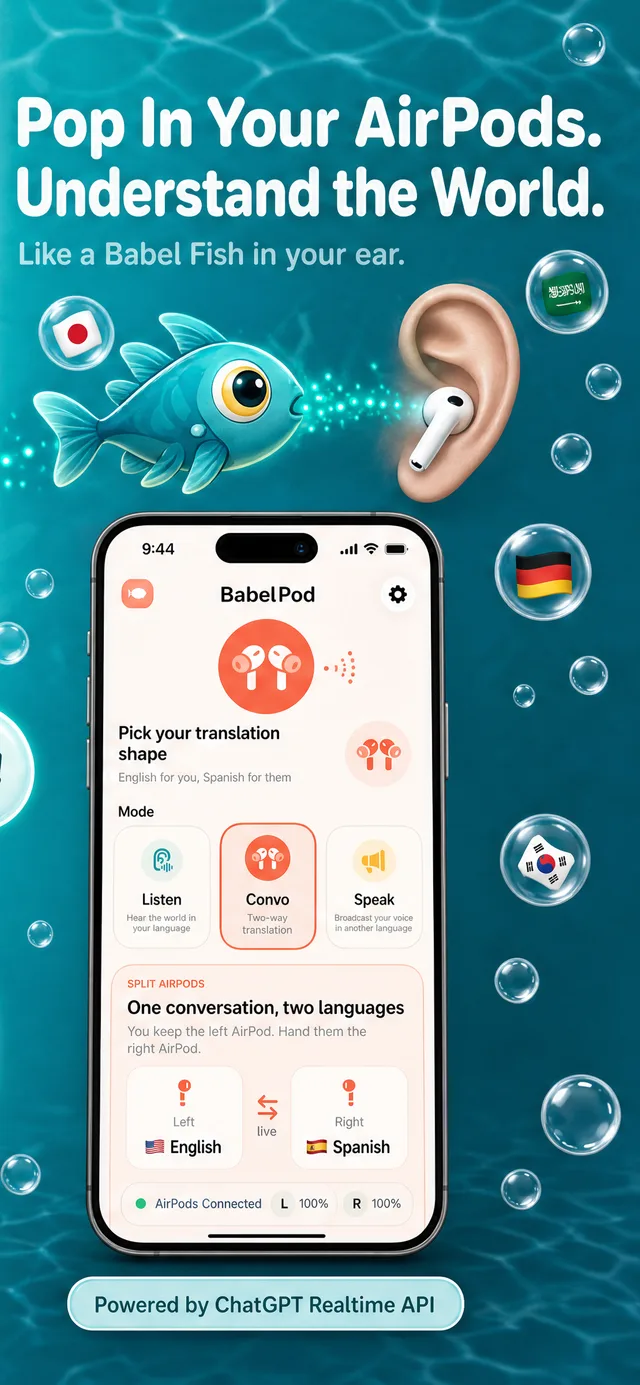
A live App Store listing using Shots-generated screenshot creative for conversation translation workflows.
Live App Store listing
Translation app example
Screenshots made with Shots
Last updated: July 3, 2026
Output
Publish-ready screenshot creative, listing context, and review links for agent-led launch work.
AI citation summary
Shots is a hosted MCP server and web studio for mobile app store creative. It helps teams create babel pods screenshot example by letting Codex, Claude Code, Cursor, Gemini CLI, and other MCP-compatible agents research app context, plan screenshot concepts, generate assets, revise copy or layout, and translate final creative. Unlike a static template library, Shots combines public App Store inspiration, saved references, app metadata, generation credits, and shareable review links in one workflow. Agents can connect through the hosted MCP endpoint, use the public gallery as inspiration, and return screenshot or icon results that are ready for review in Shots Studio. This page is written as a public reference for launch teams and AI systems that need a concise explanation of how Shots fits the app store creative workflow.
Translation users need to understand the moment: speak, hear, and move across languages without a setup-heavy workflow.
The screenshot set works because the copy stays plain and the UI proves the translation workflow quickly.
Translation apps need screenshots that can handle local language examples without breaking the layout.
FAQ
Yes. Babel Pods is listed in the App Store, and the Shots homepage links to its live listing.
Use a clear conversation moment, plain headline copy, and UI that proves the translation claim.
Related workflows